Data: ERP software for factories and make-to-order manufacturers
Your whole factory, in one system
From the customer's first inquiry to part delivery: every stage, every approval, every department — in one place, fully transparent.

Key features
Everything you need for precise, fast and unified management — in one product.
No order ever gets lostEvery order, from inquiry to delivery, with live status and an approval inbox for each person.
Real control over money and materialsGoods cannot leave until finance approves; large purchases go through a purchasing committee; every approval carries its owner's digital signature.
On your own server, even without internetYour factory's data stays on your own network.
Transparent supportWhenever the Barsavosh team works on your server with your permission, you see it on screen; there is no access without your permission, and everything is logged.
With the form builder, Data becomes yoursAdd your own custom fields to twenty core forms (inquiry, customer, supplier, part, payment, invoice and more).
Data plans
Three plans — Start, Pro and Elite — and each plan includes everything in the plan below it. Choose the plan that fits your business and request a demo of that plan.
Bring order to sales, purchasing and the warehouse
- UsersUp to 10
- Sites1
- Inquiries, customers and orders
- Warehouse, purchasing, payments
- Production reporting and quality inspection
- Dashboard, approvals inbox, global search
Support: Official Barsavosh channel
A factory where every stage has approvals and a plan
- UsersUp to 50
- Sites1
- Everything in Data Start
- Multi-stage order review, materials and routing
- Production planning, operator and supervisor inboxes
- Budgets, goods-exit lock until financial approval, petty cash and returns
- Outsourcing, maintenance and repairs, secretariat
- User digital signatures, backups from within the panel
Support: + Phone support and setup training
Full control of a large, multi-site factory
- UsersAs many as you need (per contract)
- SitesMultiple sites with separate data
- Everything in Data Pro
- Operator panel at the machine, machine schedule view
- Purchasing committee, automatic inspection approval, form builder
- Oversight inbox and department evaluation
Support: + Priority support, transparent remote support, dedicated account manager
Full plan comparison
| Data Start | Data Pro | Data Elite | |
|---|---|---|---|
| Users | Up to 10 | Up to 50 | As many as you need (per contract) |
| Sites | 1 | 1 | Multiple sites with separate data |
| Inquiries, customers and orders | ✓ | ✓ | ✓ |
| Warehouse, purchasing, payments | ✓ | ✓ | ✓ |
| Production reporting and quality inspection | ✓ | ✓ | ✓ |
| Dashboard, approvals inbox, global search | ✓ | ✓ | ✓ |
| Multi-stage order review, materials and routing | — | ✓ | ✓ |
| Production planning, operator and supervisor inboxes | — | ✓ | ✓ |
| Budgets, goods-exit lock until financial approval, petty cash and returns | — | ✓ | ✓ |
| Outsourcing, maintenance and repairs, secretariat | — | ✓ | ✓ |
| User digital signatures, backups from within the panel | — | ✓ | ✓ |
| Operator panel at the machine, machine schedule view | — | — | ✓ |
| Purchasing committee, automatic inspection approval, form builder | — | — | ✓ |
| Oversight inbox and department evaluation | — | — | ✓ |
| Support | Official Barsavosh channel | + Phone support and setup training | + Priority support, transparent remote support, dedicated account manager |
For pricing and a free consultation tailored to your needs, request a demo of your preferred plan using the form at the bottom of this page.
About Data
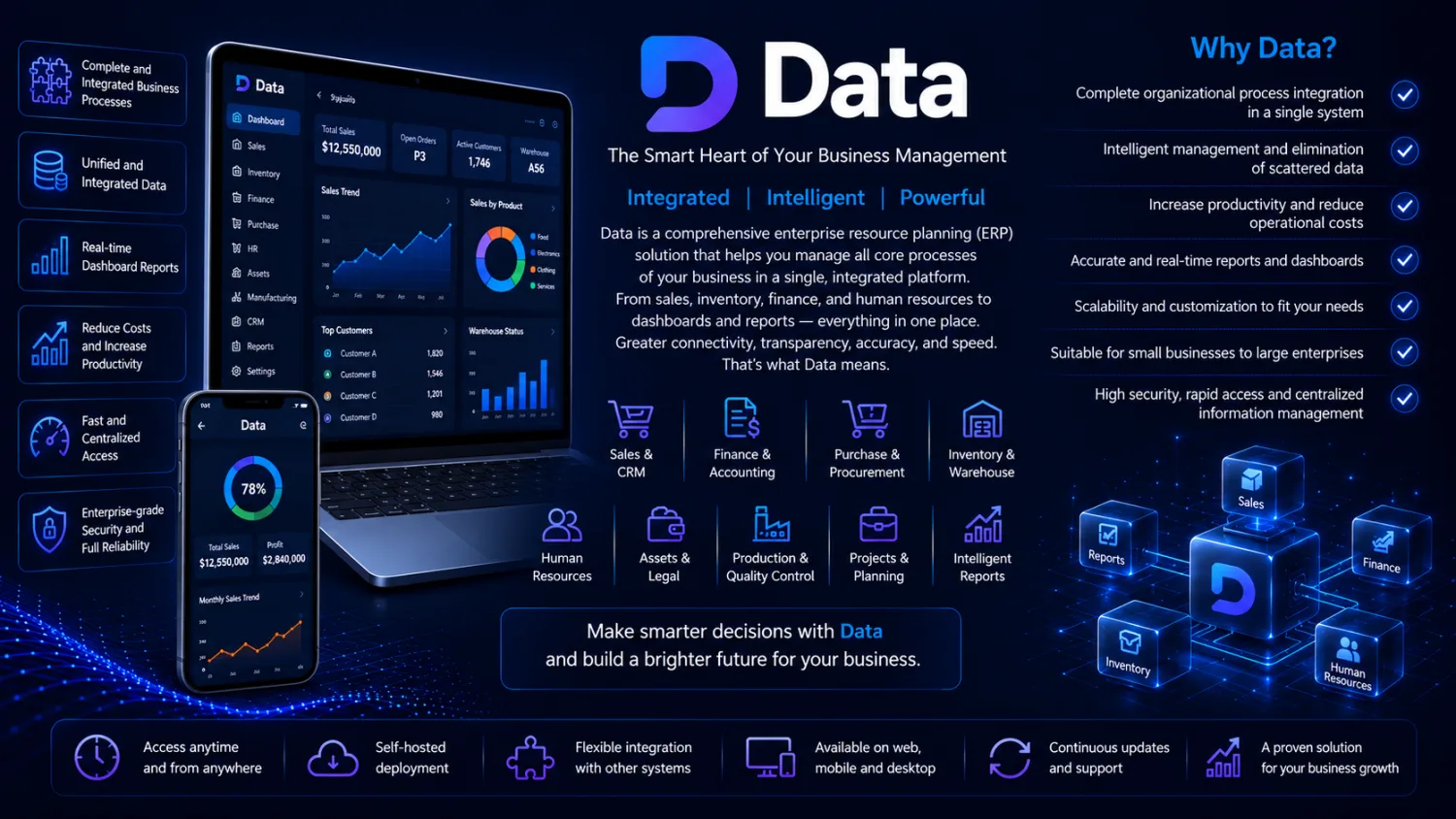
Data is a comprehensive factory management (ERP) software that connects sales, engineering, planning, purchasing, warehouse, production, quality, finance and delivery. It is built for factories and manufacturing companies, especially those that produce to customer orders and drawings and run multiple departments, multiple sites and dozens to hundreds of users.
From the customer's first inquiry to part delivery: every stage, every approval, every department — in one place, fully transparent.
Why Data?
- No order ever gets lost: Every order, from inquiry to delivery, with live status and an approval inbox for each person.
- Real control over money and materials: Goods cannot leave until finance approves; large purchases go through a purchasing committee; every approval carries its owner's digital signature.
- On your own server, even without internet: Your factory's data stays on your own network.
- Transparent support: Whenever the Barsavosh team works on your server with your permission, you see it on screen; there is no access without your permission, and everything is logged.
- With the form builder, Data becomes yours: Add your own custom fields to twenty core forms (inquiry, customer, supplier, part, payment, invoice and more).
How it works
Installed on the factory's own server and accessed from a web browser on any computer or tablet.
Data features
Sales and commercial
- Step-by-step inquiries, from the customer's request to final approval
- Customer database with full order history; orders with real-time status
- Parts ready for delivery and delivery forms; tracking of unsuccessful inquiries to analyze your sales win rate
Engineering and order review
- Materials, material costs and the routing (work steps) of each part, with a formal approval workflow between departments
- Multi-stage order review (technical, pricing, planning, outsourcing, production) and final management approval
Planning and production
- Production schedule, material requirements and timing for each order; “ready for planning” and “ready for outsourcing” lists
- View of busy and free time slots for each machine
- Production reporting for every stage; operator and supervisor inboxes; a simple operator panel at the machine, on a tablet
Purchasing and outsourcing
- Purchase requests, supplier comparison, purchase orders and invoices; the daily purchasing report at a glance
- Purchasing committee for purchases above a set limit; petty cash and returns with financial approval
- Subcontractors and outsourcing orders
Finance
- Budget lines and spending control with multi-level approval; payments with deposit slips and management approval for large amounts
- Invoices with a lock on goods leaving until financial approval
Warehouse
- Temporary and permanent receipts, issue vouchers and goods requests approved by the direct manager; real-time stock across multiple warehouses
- Parts, tools and item classification; disassembly and assembly of items and project parts; tamper-proof warehouse history
Quality, maintenance, correspondence and oversight
- Inspections and non-conformances with disposition (scrap, continue work, rework)
- Automatic approval of in-tolerance results, for processes the quality manager enables
- Machine register, repair work orders and preventive maintenance; secretariat for incoming and outgoing letters
- Oversight inbox: evaluate departments with custom checklists, scoring and monthly reports
Management
- A dashboard for each role: tasks awaiting decisions and key indicators; a unified approvals inbox with a deadline for each item
- Global search by order number, customer name or part; overdue tasks report
- Each user's digital signature on documents; multiple sites with separate data; light and dark mode
- Automatic, secure updates, with a backup before every update
Coming soon
- Smart task scheduling and automatic delay alerts
- Dedicated desktop application
Data in Short: Manufacturing ERP Software for Make-to-Order Factories
Data is an ERP system for manufacturers that produce parts to customer orders and drawings. It follows each job from inquiry through engineering, purchasing, production, quality and delivery, and it is installed on the factory’s own server, so it keeps working on your internal network even when the internet connection drops. Staff use it from a browser on office computers and tablets, while machine operators can report work from a simple tablet panel beside the machine.
| Key fact | Data |
|---|---|
| Best suited to | Job shops, contract manufacturers and engineering-to-order plants with several departments |
| Where it runs | On a server inside your factory; your data never has to leave your network |
| How people use it | Web browser on any computer or tablet; machine-side operator panel on Elite |
| Plan sizes | Data Start for small teams, Data Pro for growing plants, Data Elite for as many users as your contract defines and for multiple sites with separate data |
| Moving from spreadsheets | The P-Soft team migrates earlier data from Excel or your previous software; scope is set in your plan or contract |
| Updates | Automatic and secure, with a backup taken before every update |
| Support | Official Barsavosh channel on every plan; phone support and setup training from Pro; priority and transparent remote support plus an account manager on Elite |
Who Uses ERP Software for Job Shops and Contract Manufacturing?
These are typical situations, described to help you recognise your own plant. They are illustrations, not client stories:
- A machining job shop in the Gulf serving maintenance contractors. Every order is a one-off part made to a drawing. Data walks each inquiry through technical and planning review, records the material and work steps for the part, and shows which machines are booked and which have open capacity before a delivery date is promised.
- A sheet-metal and fabrication company that subcontracts finishing. Coating or heat treatment happens outside. Outsourcing orders and subcontractors are tracked in the same order record, so the planner can see what is waiting at a supplier and what is back in the shop.
- A manufacturing group with two plants. On Data Elite each site keeps its own separate data while management works in one system, and the oversight inbox lets head office score departments with custom checklists and monthly reports.
- A supplier of quality-critical components. Inspections and non-conformances are recorded with a clear disposition (scrap, continue, rework), and the quality manager can let in-tolerance results be approved automatically for chosen processes.
How a Data ERP Implementation Works
- Demo and process review. We walk through how an order moves through your departments today and match it to the right plan.
- Installation on your server. Data is installed inside your factory, and users connect to it through the browser on their office computers and tablets.
- Configuration. Users, roles, approval steps and spending limits are set up. On Elite, the form builder adds your own fields to core forms such as inquiry, part and supplier.
- Data migration. Customer lists, parts, suppliers and other records kept in Excel or an older system are transferred by our team, within the agreed scope.
- Training and go-live. Setup training is included from the Pro plan; departments then start running live orders in Data instead of in parallel sheets.
- Ongoing support and updates. Updates arrive automatically with a backup first, and remote work by Barsavosh staff only happens with your consent, appears on your screen while it runs and is recorded in a log.
Data ERP vs Spreadsheets and Paper Job Cards
Many small manufacturers run on spreadsheets, printed job cards and phone calls between the office and the shop floor. That works with a handful of orders; here is where it breaks down as volume grows:
| Situation | Spreadsheets and paper | Data |
|---|---|---|
| A customer asks where their order is | Someone walks to the shop floor to check | Live order status visible to sales |
| Goods ready but invoice unpaid | Depends on whoever is at the gate | Goods-exit lock until finance approves (Pro and Elite) |
| A large purchase request | An informal signature, if any | Purchasing committee above the limit you set (Elite) |
| Who approved a change, and when | Hard to prove later | Digital signature on every approval (Pro and Elite) |
| Stock levels across stores | Counted and typed in by hand | Real-time stock across multiple warehouses, with tamper-proof history |
| Machine workload | A whiteboard in the planner’s office | Busy and open slots per machine |
If your process is unusual enough that no packaged ERP fits, our custom software development team can build around it, and if an existing desktop system is holding you back, see software rescue and modernization.
Frequently asked questions
Who is Data designed for?
Data is built for factories and manufacturing companies, especially those that produce to customer orders and drawings and run multiple departments, multiple sites and dozens to hundreds of users.
How is Data installed and accessed?
Data is installed on the factory's own server and used from a web browser on any computer or tablet. Your factory's data stays on your own network, and it works even without internet.
What is the difference between Data Start, Data Pro and Data Elite?
Start supports up to 10 users and covers inquiries, orders, warehouse, purchasing, payments, production reporting and quality inspection. Pro supports up to 50 users and adds multi-stage order review, production planning, budgets, the goods-exit lock, outsourcing, maintenance and digital signatures. Elite has as many users as your contract specifies, multiple sites with separate data, the machine-side operator panel, purchasing committee, form builder and oversight inbox.
How does Data keep control over money and materials?
Invoices carry a lock so goods cannot leave until finance approves, purchases above a set limit go through a purchasing committee, and every approval carries the approver's digital signature. Warehouse history cannot be tampered with.
How do I get a demo, and what support is included?
Request a demo of your preferred plan by clicking that plan’s demo button on this page. Every plan includes the official Barsavosh support channel; Pro adds phone support and setup training, and Elite adds priority support, transparent remote support and a dedicated account manager.
Does Data work without an internet connection?
Yes. Data is installed on a server inside your factory and users reach it over your internal network from a browser, so production reporting, warehouse movements and approvals continue even if the outside internet connection goes down. This also means your order, customer and production records stay on your own premises rather than on an external service.
Can we bring our existing Excel files and old software data into Data?
Yes. When you move to Data, the P-Soft team transfers your earlier records, for example customer lists, parts, suppliers and stock, from Excel sheets or your previous software. Exactly which data is migrated, and how much history comes with it, is agreed in your plan or contract, so it helps to share sample files during the demo.
Can machine operators use Data on the shop floor?
Yes. Operators and supervisors have their own inboxes and report production for every stage. On the Elite plan there is also a simple operator panel at the machine, running on a tablet, together with a view of each machine’s schedule. This lets people on the shop floor record work where it happens instead of filling in paper sheets for the office to retype.
Related guides
- Questions to Ask an ERP Vendor Before Buying: Demo Checklist
- ERP for Automotive Parts Suppliers: Quality, Audits, Orders
- ERP for Machining Job Shops: What It Must Handle Daily
- Incoming and Outgoing Letters Register for Factories
- Digital Signatures and Approval Inbox in a Manufacturing ERP
Complete guide: ERP software — how to choose
Specialised guides
- Migrating your data into Data ERP
- On-premise ERP that works offline
- Factory management software
- Make-to-order ERP
- Make-to-order production planning
- Production quality control
- Bill of materials (BOM)
- Production control & daily report
- Manufacturing scrap tracking
- From quote to order
- Petty cash & purchase committee
- Internal audit checklists for departments
- Machine loading & operator panel
- Form builder & custom fields
- Multi-site ERP for factory groups
- Budget control & spending approvals
- Incoming & outgoing letters register
- Digital signatures & approval inbox
- ERP for machining job shops
- ERP for automotive parts suppliers
- Questions to ask an ERP vendor
- Glossary of business software terms
Ready to get started?
Our team will show you a demo built around your own processes and answer your questions.
Request a demoQuestions about this product?
Fill in the form and choose a plan, or message us directly on WhatsApp.
Other products

Avadar
Your warehouse, production and shipments — accurate down to the last item.
View product →
Hamkhoneh
A building that runs itself: service charges, payments and transparent accounts.
View product →
Zaran
Precise gold shop accounting and a live rate board for your customers.
View product →
Nooradio
Every entry and exit under your watch; live and uninterrupted.
View product →
Hamahang
View product →Related articles
Questions to Ask an ERP Vendor Before Buying: Demo Checklist
Questions to ask an ERP vendor before buying: data location, support access, updates, custom fields, users and migration,…
Read article →ERP for Automotive Parts Suppliers: Quality, Audits, Orders
ERP for automotive parts suppliers: keep inspection results, non-conformance decisions, signatures and tamper-proof stock history in Data, on-premise.
Read article →ERP for Machining Job Shops: What It Must Handle Daily
ERP for machining job shops should follow each order from RFQ and drawing to material, machine, outside vendor,…
Read article →