ERP Software: The Complete Guide for Small and Midsize Businesses
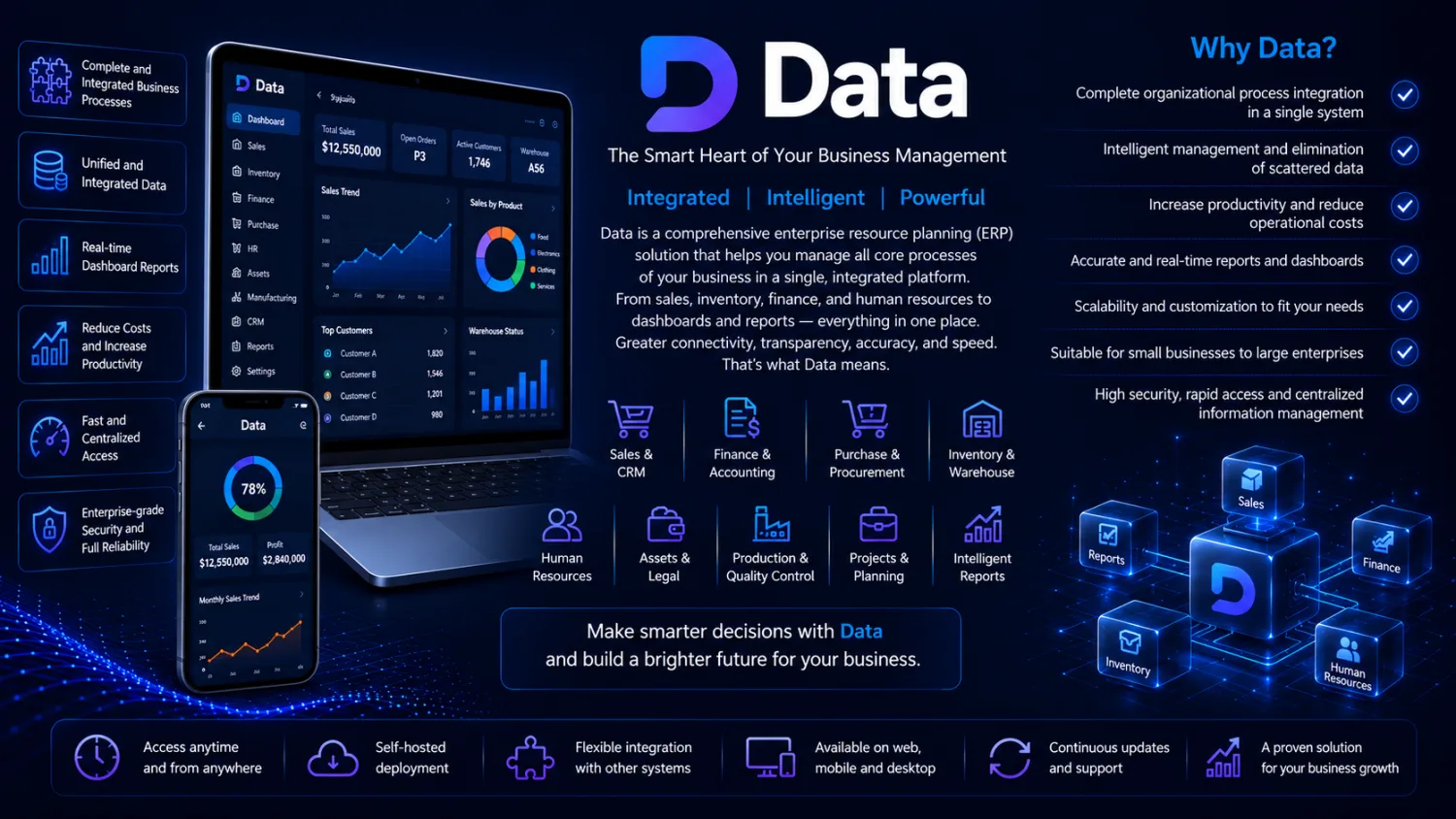
ERP software is an integrated system that unifies accounting, inventory, sales, purchasing, and HR on a single shared database, so information entered once flows automatically to every part of your business. Instead of juggling separate programs that each hold their own version of the truth, an ERP gives every team one connected source of data. This guide explains what ERP software actually does, the modules it contains, how it differs from standalone tools, and how to choose a system that fits a growing small or midsize business.
What Is ERP Software and What Does It Do?
ERP stands for Enterprise Resource Planning. Despite the enterprise-sounding name, modern ERP is used by companies of every size to run their day-to-day operations from one place. The defining idea is simple: a single, shared database sits at the center, and every function of the business reads from and writes to it.
The practical result is often described as “enter once, use everywhere.” When your sales team records an order, the ERP simultaneously reserves the stock in inventory, prepares the accounting entry, updates the customer’s balance, and reflects the sale on the management dashboard. Nobody re-keys that order into three other programs. The data moves with the transaction, which removes duplicate work and keeps every department looking at the same numbers at the same moment.
An ERP system is not a single program bolted onto another. It is a set of connected modules built to share one data model. That integration is what separates enterprise resource planning from a collection of independent apps that happen to run on the same computer.
Core ERP Modules
Most integrated business software is organized into modules. You can start with the ones you need today and add more as you grow. Typical ERP modules include:
- Accounting and finance — general ledger, accounts payable and receivable, banking, tax handling, and financial statements generated directly from live transactions.
- Inventory management — stock levels across warehouses, reorder points, batch and serial tracking, and automatic updates as goods move in and out.
- Purchasing and sales — quotations, purchase and sales orders, invoicing, and supplier and customer records that stay in sync with accounting and stock.
- Manufacturing — bills of materials, production orders, and cost tracking so you know the true cost of what you produce.
- HR and payroll — employee records, salary calculation, deductions, and payroll postings that flow straight into the ledger.
- Attendance — time and shift tracking that feeds payroll accurately instead of relying on manual timesheets.
- CRM — customer contacts, sales pipeline, and interaction history connected to real order and payment data.
- Management dashboard and BI — reporting and business intelligence that turn live operational data into clear indicators for decision-making.
Because these modules share one database, a change in one area is instantly visible in the others. That is the core value of an accounting ERP: the finance picture is never out of date, because it is built from the same transactions that run the rest of the company.
ERP vs Standalone/Island Software and Basic Accounting
Many businesses grow into a patchwork of “island” software: one program for accounting, another for inventory, a spreadsheet for payroll, and a separate contacts list for sales. Each island works in isolation, and none of them talk to the others.
The problem with island software is not any single tool, it is the gaps between them. The same invoice gets typed into the accounting program and again into the stock system. A customer’s address is updated in one place but stays wrong in three others. When the manager asks a simple question, someone has to export from several apps and reconcile the numbers by hand, hoping nothing was missed.
Basic accounting software has the same limitation on a smaller scale. It records money well, but it does not manage stock, production, attendance, or the sales pipeline. It answers “what did we spend and earn,” not “what do we have, what did we make, and what should we do next.” An ERP replaces the gaps between islands with a single source of truth, so there is exactly one correct version of every figure.
Benefits of Implementing ERP
The benefits of an ERP system come directly from that integration:
- No duplicate data entry. A transaction is recorded once and reused everywhere, cutting manual work and the errors that come with it.
- One version of the truth. Every department sees the same live data, so meetings stop arguing about whose spreadsheet is right.
- Real-time visibility. Managers see stock, cash, sales, and production as they happen, not weeks later at month-end.
- Faster, better decisions. Because reports draw on connected data, you can trust the dashboard enough to act on it.
- Tighter control. Standardized processes and permissions make it harder for things to slip through the cracks.
- Room to grow. New modules, warehouses, or users can be added without ripping out the system you already trust.
These gains are real, but they depend on a sensible rollout and clean data. An ERP amplifies good process, and it will also expose sloppy process, which is usually a good thing.
Comparing Approaches
There is no single right answer for every company. The honest comparison below shows the trade-offs between running on spreadsheets, stitching together separate apps, or adopting one integrated ERP.
| Criteria | Spreadsheets / manual | Separate island apps | Integrated ERP |
|---|---|---|---|
| Data integration | None | Weak, manual bridges | Built-in, single database |
| Duplicate entry | Constant | Frequent | Largely eliminated |
| Unified reporting | Manual and error-prone | Requires exports and reconciliation | Automatic from live data |
| Real-time decisions | Rarely possible | Delayed | Immediate |
| Scalability | Breaks down quickly | Limited, gets messy | Grows with the business |
| Upfront cost | Lowest | Moderate | Higher initially |
Spreadsheets are cheap to start and fine for the smallest operations. Island apps feel flexible but accumulate hidden costs in reconciliation and errors. An ERP asks for more investment up front and returns it through saved time, cleaner data, and decisions you can actually trust.
Who Is ERP For?
ERP is not only for large corporations. It fits any organization where the cost of disconnected data has started to hurt. In particular:
- Manufacturers who need to tie raw materials, production, and product costing together accurately.
- Trading and distribution businesses managing stock across warehouses, suppliers, and customers at once.
- Growing businesses that have outgrown spreadsheets and are drowning in re-keying and reconciliation.
- Small and midsize enterprises that want enterprise-grade control without enterprise-grade complexity or price.
If you recognize your company here, a well-fitted ERP will usually pay for itself in reduced manual work and better control.
How to Choose the Right ERP
Choosing an ERP is a business decision, not just a software purchase. A few principles keep you out of trouble:
- Fit to real needs. Map your actual workflows first, then choose software that matches them. Avoid paying for modules you will never use.
- Local compliance. The system must handle your country’s tax rules, invoicing formats, and payroll requirements out of the box.
- Support and training. Responsive local support and clear onboarding matter more than a long feature list. Software you cannot use is worthless.
- Scalability. Make sure you can add users, modules, and locations later without a painful migration.
- Phased implementation. Start with the core modules you need most, get them working well, then expand. A phased rollout is far safer than switching everything at once.
Read how to choose ERP software for a deeper checklist, and compare the trade-offs in ERP versus standalone software before you commit.
Meet Data ERP
Data is P-Soft’s integrated ERP built for factories and manufacturing companies. It brings sales, engineering, production planning, purchasing, warehouse, quality and finance together in one system, so the “enter once, use everywhere” principle applies across your whole operation rather than in isolated pockets.
Data comes in three plans — Data Start, Data Pro and Data Elite — so a factory can begin with sales, purchasing and warehouse and move up to production planning, budgeting and multi-site control as it grows. Payroll, attendance and CRM are not part of Data; if you need them, they can be delivered as a custom software project. The aim is honest and practical: give a growing manufacturer real ERP integration without the cost and complexity of heavyweight enterprise suites. You can explore the full feature set and see whether it fits your needs on the Data ERP product page.
Frequently Asked Questions
What is ERP software?
ERP (Enterprise Resource Planning) software is an integrated system that runs the core functions of a business, such as accounting, inventory, sales, purchasing, and HR, on a single shared database so data entered once is available everywhere.
What is the difference between ERP and accounting software?
Accounting software records financial transactions. An ERP includes accounting but also manages inventory, purchasing, sales, production, HR, and more, all connected together. In short, accounting software is one module; an ERP is the whole integrated system.
How much does ERP software cost?
Cost depends on the number of modules, users, and the level of customization and support you need. Modular systems let you control cost by starting small and expanding over time. The honest answer is that pricing varies by scope, so ask a vendor for a quote based on your actual requirements rather than a headline figure.
Is ERP suitable for small companies?
Yes. A small company can start with a few core functions and grow into the rest, gaining integrated data without enterprise-level complexity or cost. For factories and manufacturers, Data offers exactly this path: start with the Data Start plan and move up to Data Pro or Data Elite as you grow.
How long does ERP implementation take?
Implementation time depends on how many modules you deploy and how much data you migrate. A phased rollout starting with core modules is usually faster and safer than switching everything at once. Clean data and clear processes shorten the timeline significantly.
What does an ERP integrate?
An ERP integrates the main operational areas of a business: accounting and finance, inventory, purchasing and sales, manufacturing, HR and payroll, attendance, and CRM, all feeding a single management dashboard so every department works from the same live information.
Why is an integrated system better than separate apps?
Separate apps force duplicate entry and leave you with conflicting versions of the same data. An integrated system keeps one source of truth, removes re-keying, and lets you report across the whole business instantly. Learn more in what is ERP software and the benefits of ERP software.
If your business has outgrown spreadsheets and disconnected apps, an integrated ERP is the practical next step. If you run a factory, see how P-Soft’s Data ERP can unify your sales, production, purchasing, warehouse and finance on one platform, and request a demo tailored to your needs.
