Warehouse Management Software: A Complete Guide to Inventory Control
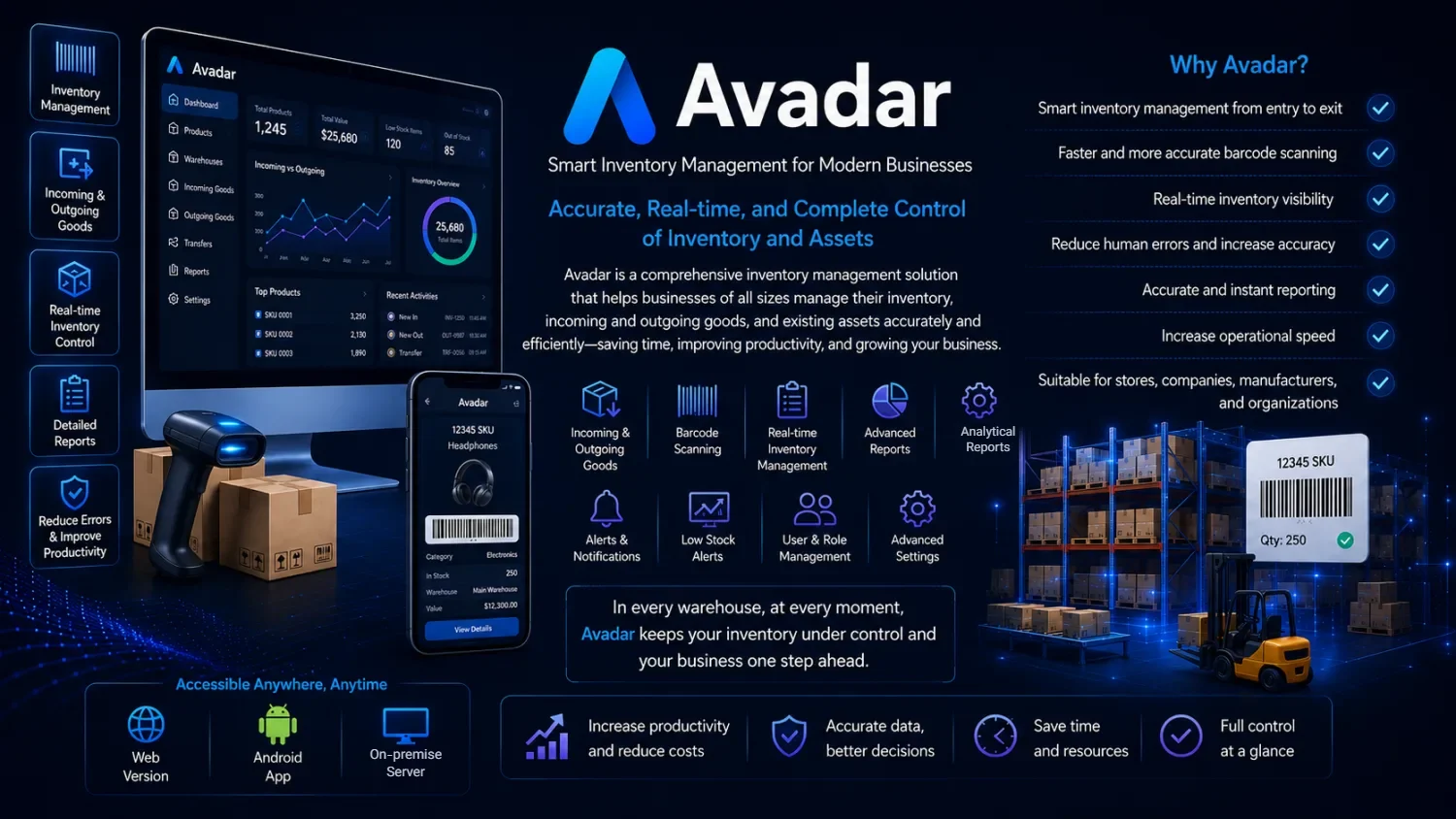
Warehouse management software is a digital system that tracks every item entering, moving through, and leaving your storage locations so that your recorded stock always matches physical reality. In practice, the terms warehouse management software and inventory management software overlap heavily: both aim to give you an accurate, real-time picture of what you own, where it sits, how fast it moves, and when to reorder. Whether you run a single retail shop or a multi-branch distribution business across the Gulf or Europe, the right inventory software replaces error-prone spreadsheets and mental math with a reliable source of truth that your whole team can trust.
What Is Warehouse Management Software?
At its core, warehouse management software records stock movements and keeps a running balance of every product. Each time goods arrive from a supplier, get sold, are returned, or transfer between locations, the system updates quantities automatically. Good inventory management software goes further than simple counting. It links each item to details such as purchase cost, sale price, supplier, batch or serial number, expiry date, and physical location, then turns that data into reports you can act on.
The goal is deceptively simple: know exactly what you have, at any moment, without walking the aisles to check. When your on-screen numbers match the shelf, you stop over-ordering slow items, you stop running out of fast movers, and you stop losing margin to shrinkage you never noticed. A modern stock management system becomes the operational backbone of purchasing, sales, and finance because every department relies on the same trusted figures. If you want a fuller conceptual breakdown, our companion article on what warehouse management software is covers the fundamentals in more depth.
Types: Cloud/Web-Based, Desktop, and Mobile
Inventory software generally comes in three delivery models, and the difference matters more than most buyers expect.
Desktop (installed) software runs on a specific computer. It can be fast and works without internet, but your data is trapped on that machine. Accessing it from another branch, from home, or from a supplier visit is difficult, and backups depend entirely on someone remembering to make them.
Cloud inventory software (web-based) runs in a browser and stores data on a secure server. Any authorized user can log in from any location with an internet connection, multiple people can work at once, and backups happen centrally. For businesses with more than one person touching stock, or more than one location, this model has become the practical default.
Mobile apps extend the system into the warehouse itself. Instead of a dedicated barcode gun, staff can use an ordinary Android phone to scan items, receive shipments, or perform stock counts while walking the floor. The best modern systems combine a web-based core with a companion mobile app so the office and the shelf stay in sync.
Essential Features of Good Inventory Software
Not every product labeled “inventory software” is genuinely useful. Before you commit, check that a stock management system offers the following:
- Real-time stock levels that update the instant goods move in or out.
- Barcode support, so items are identified by scan rather than by typing codes.
- Multi-user access with roles and permissions, so staff see only what they should.
- Multi-location or multi-warehouse tracking for businesses with more than one store or depot.
- Purchase and sales recording tied directly to stock, so balances never drift.
- Low-stock alerts and reorder points that warn you before you run out.
- Clear, exportable reporting: stock valuation, fast and slow movers, and movement history.
- Batch, serial, and expiry tracking for regulated or perishable goods.
- Reliable, automatic backups so a failed hard drive never erases your records.
- Search and filtering fast enough to find any item in seconds.
If a system is missing several of these, you will likely outgrow it within a year. To see how the strongest options compare, our guide to the best warehouse management software weighs these features against real-world needs.
Barcode Inventory Management: Why It Matters
Manual data entry is the single biggest source of inventory error. A digit typed wrong, a similar product code confused for another, a count entered twice, these small mistakes compound until your records no longer reflect the shelf. Barcode inventory software removes that risk by making the scan the action. When a barcode is read, the exact item is identified with no ambiguity and no typing.
Barcodes speed up every core task: receiving shipments, picking orders, transferring between locations, and performing physical counts. A count that once took a full day with clipboards can be done in a fraction of the time, with far greater accuracy. This is exactly the philosophy behind Avadar inventory software, which is built barcode-first rather than treating scanning as an afterthought. For a deeper look at how barcoding transforms warehouse operations, see our article on barcode warehouse software.
Comparing Approaches
The honest way to choose is to compare the three common approaches side by side. The table below is a general, capability-level comparison, not a benchmark of any single product.
| Capability | Spreadsheet / Manual | Desktop / Installed | Cloud / Web-Based |
|---|---|---|---|
| Multi-user | Conflicts and overwrites | Limited, usually one machine | Built for many users at once |
| Remote access | Only where the file is | Difficult, tied to one PC | Anywhere with internet |
| Barcode | Not practical | Possible, often add-on | Typically native, phone or scanner |
| Reporting | Manual formulas, fragile | Fixed built-in reports | Live, exportable reports |
| Security | Whoever opens the file sees all | Basic local permissions | Role-based access control |
| Backup | Manual, easily forgotten | Manual, machine-dependent | Automatic and centralized |
Spreadsheets are free and familiar, and they can work for a very small operation with one person and few items. But they were never designed for shared, real-time stock control, and they fail quietly as a business grows. Desktop software is a step up but keeps your data isolated. For most growing businesses, a cloud-based system offers the best balance of access, safety, and collaboration.
How to Choose the Right Warehouse Software
Choosing a stock management system is easier when you start from your own situation rather than a feature list. Ask a few grounded questions. How many people need to work in the system at the same time? Do you operate from one location or several? Do you need staff to scan items on the warehouse floor, or only at a fixed counter? How important is remote access for owners or managers who travel?
Then weigh the practical realities: ease of setup, the learning curve for ordinary staff, the quality of support in your language, and whether the pricing model fits a business of your size. Beware of systems that demand weeks of consultant-led implementation for a modest warehouse; the best fit is often the one your team can actually use from day one. Finally, favor software that prevents the problems that cost you money, such as running out of best-sellers. Our piece on how to prevent inventory shortages with software explains why reorder alerts belong at the top of your checklist.
Who Needs It?
Retail and stores need accurate stock to avoid disappointing customers and to know which lines to reorder. A shop with hundreds or thousands of SKUs cannot track them reliably by memory or paper.
Manufacturing depends on knowing raw material levels, work in progress, and finished goods, so production never stalls for a missing component.
Distribution and wholesale businesses move large volumes across locations and must track exactly what is in each depot and in transit, often with batch or serial detail.
Trading companies that buy and resell need tight control over cost, price, and margin per item, which only accurate stock data can provide. In short, any business where goods represent real money benefits from proper inventory software.
Meet Avadar Inventory Software
Avadar is P-Soft’s barcode-first inventory and warehouse management system, built by Barsavosh Fanavaran. It is web-based, so authorized users can work from any location, and it is designed for multiple users from the start rather than as a single-seat tool. Its defining strength is barcode workflow: instead of buying dedicated scanning hardware, your staff can use an ordinary phone camera as a scanner through the companion Android app, receiving goods, picking orders, and counting stock directly on the warehouse floor.
The system keeps stock levels current in real time, ties purchases and sales to inventory balances, and produces the reports owners and managers actually use to make decisions. Because it is web-based, backups are handled centrally rather than left to chance on a single PC. For businesses that want accurate stock control without the cost and complexity of heavyweight enterprise suites, Avadar inventory software aims to be a practical, honest, and approachable choice.
Frequently Asked Questions
Is warehouse management software free?
Some very basic tools are free, and spreadsheets cost nothing, but genuinely capable inventory software is usually a paid product because it involves secure hosting, ongoing support, and continuous development. Many providers, including P-Soft, let you evaluate the system before committing so you can confirm it fits your workflow.
Cloud or desktop: which is better?
For most businesses today, cloud (web-based) software wins because it allows remote access, easy multi-user work, and centralized backups. Desktop software can suit a single-location operation with one user and no need for remote access, but it isolates your data on one machine.
Do I need special hardware to use barcodes?
Not necessarily. While dedicated barcode scanners exist, modern systems like Avadar let you use an ordinary Android phone’s camera as a scanner, which removes a significant upfront cost for smaller businesses.
Is this suitable for a retail store?
Yes. Retail is one of the clearest use cases. Barcode scanning at receiving and sale keeps shelf counts accurate, low-stock alerts prevent lost sales, and reporting shows exactly which products are worth reordering.
What is the best warehouse management software?
There is no single answer, because the best choice depends on your size, number of locations, and whether you need barcode and mobile scanning. The right approach is to match features to your real needs. Our best warehouse management software guide walks through that decision.
How much does inventory software cost?
Pricing varies widely by capability, number of users, and delivery model. Rather than quoting a figure that may not apply to your case, we recommend contacting us with your business size and requirements so we can advise on the most suitable option honestly.
Can I access my stock data from another branch or from home?
With cloud inventory software, yes. Because your data lives on a secure server rather than one office computer, any authorized user can log in from another branch, from home, or on the move, and always see the same up-to-date figures.
Ready to move from guesswork to accurate, real-time stock control? Explore Avadar inventory software to see how barcode-first, web-based inventory management can fit your business, and reach out to us with your requirements for honest, practical guidance.
