Building Management Software: The Complete Guide for Property Managers
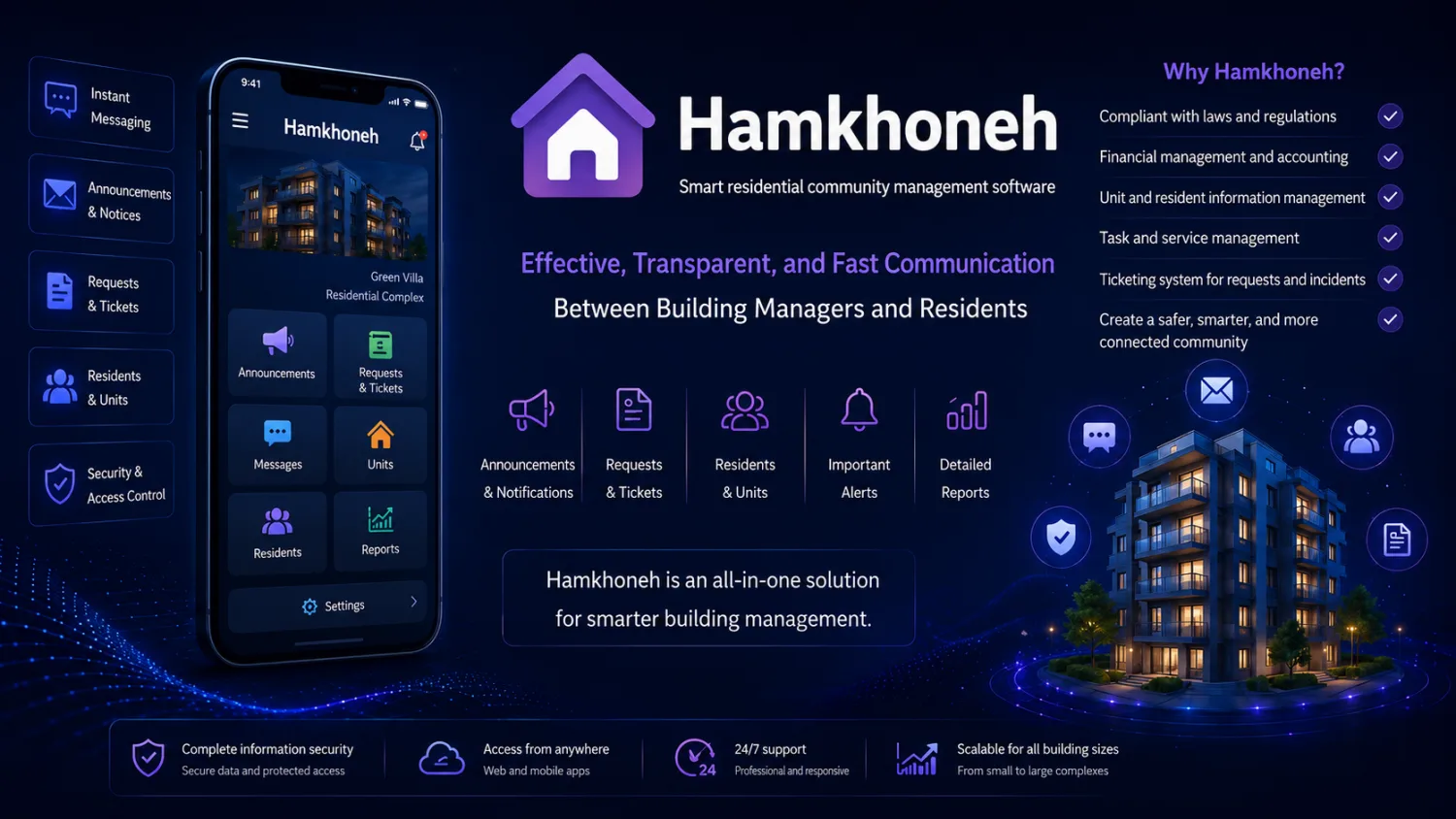
Building management software is a digital platform that automates the financial and administrative work of running a residential or commercial building, from calculating monthly charges and tracking income and expenses to collecting online payments and communicating with residents. Instead of juggling paper ledgers, group chats, and hand-typed spreadsheets, a building manager or homeowners association board uses one system to keep the numbers accurate, the money transparent, and every resident informed. This guide explains what the software does, the features that matter, how it handles the tricky problem of charge calculation, and how to choose a platform that fits your property.
What Is Building Management Software?
Building management software (sometimes called property management software or HOA management software) is a tool built specifically for the day-to-day operations of a shared building. Its job is narrow but deep: it replaces the manual accounting and coordination that a building manager, board member, or property administrator would otherwise do by hand.
A residential complex generates a surprising amount of recurring work. Every month someone has to work out what each unit owes, record who paid and who did not, pay the cleaner and the elevator technician, track the reserve fund, and answer the same questions from residents over and over. When that work lives in a notebook or a single person’s spreadsheet, it is fragile, hard to audit, and easy to dispute. Residential building software centralizes all of it so the calculation is consistent, the history is preserved, and anyone with permission can see where the money went. For a deeper primer, see our companion article on what building management software is.
Essential Features
Not every product includes everything, but a capable building management platform should cover most of the following:
- Automatic charge and fee calculation — computes each unit’s monthly dues from rules you define, instead of manual arithmetic.
- Income and expense tracking — a running ledger of every payment received and every bill paid.
- Online fee payment — residents pay dues directly through the app or a payment link, with the transaction recorded automatically.
- Fund and account overview — a clear view of the building’s balance, reserve fund, and outstanding debts.
- Unit and resident management — a directory of units, owners, and tenants, with contact details and ownership status.
- Announcements — send notices to all residents or specific blocks in seconds.
- Maintenance requests — residents report a broken light or leaking pipe, and the manager tracks it to completion.
- Transparent financial reports — exportable statements that show income, expenses, and balances for any period.
- Resident mobile app — so people can check their balance, pay, and read notices from their phone.
- Parking and storage management — assign and track parking spaces and storage units per unit.
For a feature-by-feature breakdown, our guide to building management software features goes into more detail on each.
How Software Simplifies Building Charge Calculation
Charge calculation is where building management software earns its keep, because it is the single most error-prone and dispute-prone task in the whole process. Buildings rarely split costs equally, and the “fair” formula depends on the type of expense. Good software lets you define the rule once and applies it every month without arithmetic mistakes.
The common approaches are:
- Per-unit (equal split) — every unit pays the same amount. Simple, and reasonable for fixed shared costs like management fees where usage does not vary by size.
- Area-based — the charge is proportional to each unit’s floor area in square meters or square feet. This is the fairest basis for costs that scale with the size of a home, such as heating or a portion of general upkeep.
- Per-person (per-resident) — the charge scales with the number of people living in a unit. This suits consumption-driven costs like water, waste collection, or elevator wear, where a family of five genuinely uses more than a single occupant.
- Hybrid — the realistic option most buildings actually need. Fixed costs are split equally, area-driven costs by square meters, and consumption costs by headcount, then combined into one monthly figure per unit.
Doing hybrid math by hand across dozens of units every month is exactly the kind of task that produces errors and arguments. Software applies your chosen formula uniformly, shows each resident how their number was derived, and removes the “why do I pay more than my neighbor” friction. If charge calculation is your main pain point, our overview of the best building management software compares how different platforms handle it.
Online Fee Payment and Financial Transparency
Collection is the other half of the equation. In a building without software, the manager chases people, accepts cash or bank transfers, and manually ticks off who paid. That process is slow, and it quietly erodes trust because residents cannot independently verify where their money went.
Online fee payment closes that gap. Each resident sees exactly what they owe and pays through a payment gateway, and the system marks the invoice paid the moment the transaction settles. No manual reconciliation, no lost receipts, no disputes over whether a transfer arrived. For a closer look at the mechanics, see our article on online building charge payment.
Transparency follows naturally. Because every payment and every expense is timestamped in one ledger, the building’s finances become auditable. Board members can review reports without asking the manager to assemble them, and residents can trust that the reserve fund is real. That auditable trail is often the single biggest reason a building adopts software in the first place.
Comparing Approaches
It is worth being honest about the trade-offs. Paper and spreadsheets are free and familiar, and for a very small building they can be enough. As unit count and expectations grow, their weaknesses show. The table below compares the three common approaches fairly.
| Capability | Paper / manual | Spreadsheet | Building management app |
|---|---|---|---|
| Charge calculation | Manual, error-prone | Formulas possible but fragile and easy to break | Automatic, rule-based, consistent |
| Financial transparency | Low; only the manager sees the ledger | Medium; whoever holds the file sees it | High; shared, auditable ledger |
| Online payment | None | None built in | Built-in payment and auto-reconciliation |
| Resident notifications | Notice board or manual calls | Manual, outside the tool | In-app announcements to all or selected units |
| Remote manager access | None; tied to physical records | Only if shared to the cloud | Yes; manage from anywhere via web or app |
| Archiving and reports | Physical storage, hard to search | Depends on discipline; version confusion common | Automatic history and exportable reports |
A spreadsheet is a real step up from paper and can serve a diligent manager well. But it depends entirely on one person’s care, it has no payment or notification layer, and a single wrong cell reference can quietly corrupt months of numbers. Dedicated software removes that single point of failure.
Who Is It For?
Building management software fits a wide range of shared properties:
- Residential complexes — apartment buildings where dozens of units share costs and a common fund.
- Towers — high-rise buildings where the sheer number of units makes manual accounting impractical.
- Commercial and office buildings — where tenants share services and expect clean, documented invoicing.
- Multi-block estates — gated communities or complexes with several buildings that need both per-block and estate-wide accounting.
- Building managers and boards — the people accountable for the money, who benefit most from a transparent, defensible record.
How to Choose
When you evaluate options, weigh the factors that actually affect daily use rather than a long feature checklist:
- Charge-calculation flexibility — can it handle your real formula, including a hybrid split, without workarounds?
- Resident experience — is there a mobile app residents will actually use, or will adoption stall?
- Payment integration — does online payment reconcile automatically, or is it just a link?
- Transparency and reporting — can board members and residents see what they need without depending on the manager?
- Scale — will it stay fast and organized as your building or estate grows?
- Support and reliability — is there real help when something goes wrong, and is your financial data safe?
Choose the platform that removes your biggest current headache first. For most buildings that is either charge calculation or collection, and those two should anchor your decision.
Meet Hamkhoneh Building Management Software
Hamkhoneh is a building management platform built around exactly these problems. It pairs a web dashboard for managers and boards with a resident web portal and Android app, so both sides of the building work from the same information. Managers set up units and residents, define the charge rules, and let the system handle the monthly calculation automatically.
On the resident side, people see what they owe and pay online, with each payment recorded against their unit instantly. Income and expenses live in one transparent ledger, so the fund balance and financial reports are always current and defensible. To explore the platform in full, visit Hamkhoneh building management software.
We will be honest about scope: Hamkhoneh focuses on the core operational work most buildings struggle with — automatic charge calculation, online payment, and income and expense transparency — delivered through a web panel and a resident app. That focus is deliberate, because getting those fundamentals right is what actually makes a building run smoothly.
Frequently Asked Questions
Is building management software free?
Some tools offer a free tier or trial, while full-featured platforms typically charge a modest subscription based on the number of units. The right question is not whether it is free, but whether it saves more time and prevents more disputes than it costs — for most buildings above a handful of units, it does. Check Hamkhoneh building management software for current plan details.
How is it priced?
Pricing is usually tied to building size, most often per unit or per building, and billed monthly or annually. Because the software replaces manual accounting hours and reduces payment disputes, the cost is generally small next to the reserve fund it helps protect.
Is there a resident mobile app?
Yes. A resident app is one of the most important features, because it is how people check their balance, pay their dues, and read announcements. Hamkhoneh gives every resident a web portal and, on the Pro and Elite plans, an Android app with instant notifications (new charges, payment confirmations, vote results) — alongside the manager web panel.
How does online payment work?
Each resident sees their outstanding charge and pays through an integrated payment gateway. When the transaction settles, the software automatically marks the invoice as paid and updates the building’s ledger, so no one has to reconcile transfers by hand.
Is it suitable for large towers?
Yes, and large towers are where it helps most. The more units a building has, the more error-prone manual charge calculation and collection become, so automation delivers the greatest benefit at scale.
How is it better than a spreadsheet?
A spreadsheet has no online payment, no resident app, no automatic notifications, and no shared audit trail, and it depends entirely on one person not breaking a formula. Building management software adds payment, transparency, and multi-user access, and it removes that single point of failure.
Can residents see the building’s finances?
With permission-based transparency, yes. Boards and residents can view relevant reports and balances directly, which builds trust and reduces the disputes that arise when only one person controls the books.
Ready to stop wrestling with spreadsheets and manual charge calculation? Explore Hamkhoneh building management software and see how automatic charge calculation, online payment, and transparent accounting can simplify running your building.
