Nooradio: smart-card access control software for buildings, parking and factories
Every entry and exit, under your watch
Smart-card access control: live, accurate and uninterrupted — even when the connection to the computer drops.

Key features
Everything you need for precise, fast and unified management — in one product.
Doors never get stuckIf the connection to the computer drops, the gates still correctly decide on their own whether to allow or deny access.
Self-healingThe service runs around the clock, restarts itself, and if data is corrupted it restores from the last healthy backup.
Hassle-free updatesUpdates and repairs without losing a single record.
Built and proven on real sitesIts features grew out of the real needs of security guards, parking facilities and factories.
Simple for security guardsLive traffic display with audio alerts and a full-screen mode.
Nooradio plans
Three plans — Start, Pro and Elite — and each plan includes everything in the plan below it. Choose the plan that fits your business and request a demo of that plan.
A building or office with a few doors
- Gates (controllers)Up to 2
- Define people and cards, instant activate/deactivate
- Live traffic display, audio alert, full screen
- Manual door opening, administrator and operator roles
- Gates decide on their own when the connection drops, manual backup
Support: Official Barsavosh channel
Complexes, factories and parking facilities
- Gates (controllers)Up to 8
- Everything in Nooradio Start
- Bulk card adding and grouping, file import and export
- Permitted access hours, free entry, entry/exit setting per gate
- Advanced search, report export, automatic backup
Support: + Phone support and setup
Large sites with heavy traffic
- Gates (controllers)Unlimited
- Everything in Nooradio Pro
- Parking capacity management
Support: + Priority support and faster response
Full plan comparison
| Nooradio Start | Nooradio Pro | Nooradio Elite | |
|---|---|---|---|
| Gates (controllers) | Up to 2 | Up to 8 | Unlimited |
| Define people and cards, instant activate/deactivate | ✓ | ✓ | ✓ |
| Live traffic display, audio alert, full screen | ✓ | ✓ | ✓ |
| Manual door opening, administrator and operator roles | ✓ | ✓ | ✓ |
| Gates decide on their own when the connection drops, manual backup | ✓ | ✓ | ✓ |
| Bulk card adding and grouping, file import and export | — | ✓ | ✓ |
| Permitted access hours, free entry, entry/exit setting per gate | — | ✓ | ✓ |
| Advanced search, report export, automatic backup | — | ✓ | ✓ |
| Parking capacity management | — | — | ✓ |
| Support | Official Barsavosh channel | + Phone support and setup | + Priority support and faster response |
For pricing and a free consultation tailored to your needs, request a demo of your preferred plan using the form at the bottom of this page.
About Nooradio
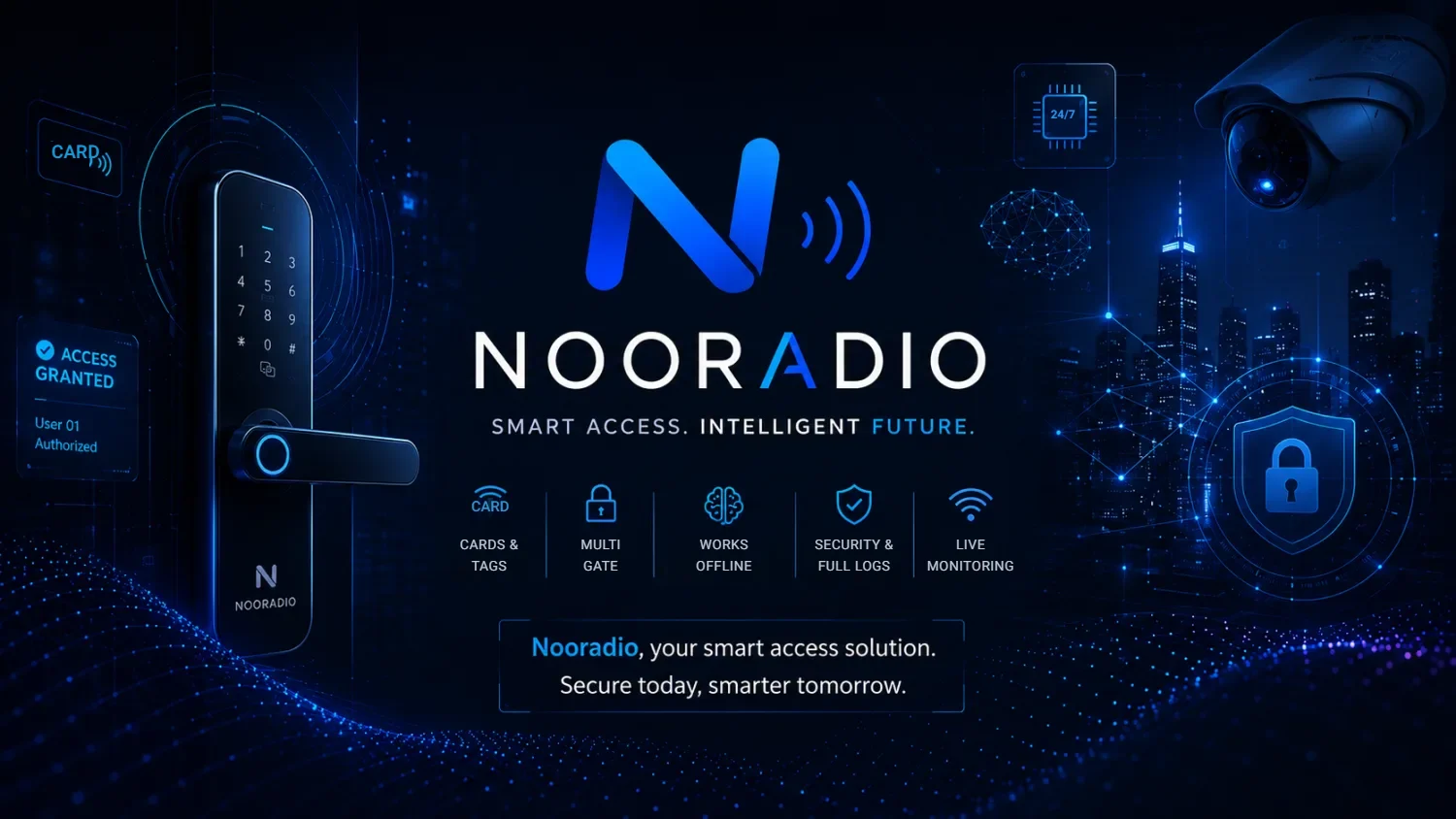
Nooradio controls and logs the entry and exit of people and vehicles using smart cards and tags: who, when, and through which gate. Suitable for office and residential buildings, complexes, parking facilities, factories and industrial sites.
Smart-card access control: live, accurate and uninterrupted — even when the connection to the computer drops.
Why Nooradio?
- Doors never get stuck: If the connection to the computer drops, the gates still correctly decide on their own whether to allow or deny access.
- Self-healing: The service runs around the clock, restarts itself, and if data is corrupted it restores from the last healthy backup.
- Hassle-free updates: Updates and repairs without losing a single record.
- Built and proven on real sites: Its features grew out of the real needs of security guards, parking facilities and factories.
- Simple for security guards: Live traffic display with audio alerts and a full-screen mode.
How it works
Installed on a computer on site and connected to the card readers at the gates. The administrator defines people, cards, gates and permitted hours and watches traffic live; operators and guards with more limited access monitor traffic and can open a door manually from the software.
Nooradio features
People and cards
- Add each person with all of their cards in one form; add a range of cards in bulk
- Group people; instantly activate or deactivate any card without deleting data; duplicate card warning
- Import and export card lists from a file to move them between sites, without creating duplicate records
Doors and access
- Control multiple gates simultaneously without conflicts, from one piece of software
- Set each gate to entry, exit or both; open a door manually from the software
- Permitted access hours for each group (weekdays and holidays)
- “Free entry” mode for a gate (every card registered in the software opens the door in this mode, unregistered cards don’t; useful for events)
- Parking capacity management with automatic control until vehicles exit
Monitoring and reporting
- Live display of every passage (authorized or unauthorized, entry or exit) with an audio alert that can be muted
- Fast search and filtering of history, even at high volume; report export for management and audits
- Move passages in bulk to the allowed or denied list; full-screen mode for the guard station
Reliability and maintenance
- Runs around the clock with automatic recovery
- Manual and scheduled automatic backups with multiple versions; easy restore
- Simple installation, repair and updates without data loss
Coming soon
- Remote management from a browser and from multiple computers
Nooradio access control software in short
Nooradio is card-based access control software for offices, residential compounds, car parks and factories. It runs on a computer at your premises, works with the card readers at each door or gate, and decides who may pass where and at what time, keeping a record of every attempt, whether allowed or refused.
It suits property managers, facility teams and plant security leads who need a door entry system that keeps deciding correctly when the computer link fails, yet stays simple enough for the gatehouse. The key facts at a glance:
| Topic | What Nooradio offers |
|---|---|
| What it controls | Entry and exit of people and vehicles through doors and gates |
| Credentials | Smart cards and tags only |
| Deployment | Installed on an on-site computer and linked to the gate card readers |
| If the computer link fails | The gates go on making allow or deny decisions by themselves |
| Plans | Start (up to 2 gates), Pro (up to 8 gates), Elite (unlimited gates plus parking capacity management) |
| User roles | An administrator, plus operators and guards with narrower rights |
| Existing data | Card lists can be brought in from a file on Pro and Elite; the P-Soft team can also migrate records from spreadsheets or a previous system, with the scope agreed in your plan or contract |
| Support | Help comes through Barsavosh’s own channel on all plans, with phone help and setup included from Pro upward and faster priority handling for Elite customers |
| Coming soon | Remote management in a browser and from several computers |
Where a door access control system pays off: typical scenarios
The situations below are illustrative examples, not customer stories. They show how one feature set adapts to small and mid-sized businesses in English-speaking markets and across the Gulf.
A multi-tenant office building
Each tenant company becomes its own group with its own permitted hours. When someone leaves a tenant firm, the facilities desk switches that card off at once; the person’s history stays available for later questions, and a replacement card can be attached to the same profile if they ever return.
A gated residential compound
Residents carry one card for the pedestrian gate and one tag for the car, both held on a single profile. On a community event day the manager enables open-entry mode on one gate only, so any card already registered in Nooradio works there, while cards nobody has registered are still turned away.
A factory running shifts
Production, maintenance and visiting contractors get separate time windows that cover weekdays and holidays. The gatehouse screen stays in full-screen mode, an audible alert draws attention to refused passages, and supervisors export reports whenever an incident needs to be reconstructed for management.
An industrial yard with several gates
Vehicle and pedestrian gates are all handled by one installation without conflicts. Each gate is configured as entry only, exit only or both, and when a driver turns up with a tag that is not recognised, the guard can still open the gate manually from the software after checking the delivery papers.
How a Nooradio rollout works, step by step
- Needs review. You describe how many doors and gates you have, who uses them and when. That picture decides between Start, Pro and Elite.
- Installation on site. Nooradio is installed on a computer at your premises and connected to the readers at the gates. Phone support and setup come with the Pro and Elite plans.
- Bringing in people and cards. On Pro and Elite, card lists are imported from a file without creating duplicate records. If your records sit in a spreadsheet or older software, the P-Soft team can move them across, within the scope set in your plan or contract.
- Defining the rules. The administrator builds groups, sets permitted hours and the direction of each gate, and assigns cards to people.
- Handover to the gatehouse. Operators and guards receive narrower rights: they watch live traffic and can open a door by hand, while defining people and cards remains an administrator task.
- Ongoing care. Manual backup is available on every plan and scheduled backup from Pro; updates and repairs are applied without losing records, and requests are handled through the official Barsavosh support channel.
Card access control vs keys, spreadsheets and a visitor book
Many sites start with metal keys, a paper visitor book or a spreadsheet of who holds which card. Here is an honest comparison of those habits with card-based access control software:
| Question | Keys and a paper log | Spreadsheet of cardholders | Nooradio |
|---|---|---|---|
| A credential goes missing | Change the lock or live with the risk | Edited by hand; the reader may still accept the card | Card switched off instantly, history kept |
| Who came in last night? | Depends on handwriting in the book | Not captured automatically | Each passage logged with time and gate, and searchable |
| Different hours for different groups | Not realistic | Only as a note nobody enforces | Permitted hours per group, including holidays (Pro and Elite) |
| The computer or network fails | Not relevant | Not relevant | Gates keep making allow or deny decisions themselves |
| Opening a second site | Cut a new set of keys | Copy the file and hope it stays in sync | Export and import card lists without duplicates (Pro and Elite) |
Keys still make sense for a low-risk storeroom. The case for card-based entry grows with the number of people and doors, and with how quickly you need to answer who passed, when and where. If you also run a car park, see parking access control with smart cards and tags; if you need workflows Nooradio does not cover, our custom software team builds to order.
Frequently asked questions
Who is Nooradio for?
Nooradio is suitable for office and residential buildings, complexes, parking facilities, factories and industrial sites. It controls and logs the entry and exit of people and vehicles using smart cards and tags.
How is Nooradio installed and used?
It is installed on a computer on site and connected to the card readers at the gates. The administrator defines people, cards, gates and permitted hours and watches traffic live, while operators and guards with more limited access monitor traffic and can open a door manually from the software.
What is the difference between Nooradio Start, Pro and Elite?
Start supports up to 2 gates with people and card management, live monitoring, manual door opening and manual backup. Pro supports up to 8 gates and adds bulk card management, permitted access hours, free-entry mode, advanced search, report export and automatic backup. Elite supports unlimited gates and adds parking capacity management.
What happens if the connection to the computer drops?
The gates still correctly decide on their own whether to allow or deny access, so doors never get stuck. The service runs around the clock, restarts itself and can restore from the last healthy backup.
How do I get a demo, and what support is included?
Request a demo of your preferred plan by clicking that plan’s demo button on this page. Every plan includes the official Barsavosh channel; Pro adds phone support and setup, and Elite adds priority support and faster response.
Can Nooradio handle several buildings or sites?
One installation controls several gates at the same time without conflicts: up to 2 on Start, up to 8 on Pro and an unlimited number on Elite. For a separate site, card lists can be exported from one installation and imported into another without duplicate records, which is available on Pro and Elite. Remote management in a browser and from several computers is listed as coming soon, so plan for the site computer as the place where the administrator works.
What should we do when an employee or resident loses an access card?
The administrator deactivates the card in Nooradio straight away. Nothing about the cardholder is deleted, so their history and other cards stay intact, and a replacement can be added to the same profile. If anyone tries the old card afterwards, the attempt appears as refused on the live screen, and the software warns you if a card number is ever registered twice.
Is a card-based door entry system worth it for a small office?
For a small office the Start plan is usually enough: it covers up to 2 gates and includes people and card management, the live traffic screen with audible alert and full-screen mode, manual door opening, administrator and operator roles, autonomous gate decisions when the computer link drops, and manual backup. Moving up to Pro makes sense once you want permitted hours per group, bulk card handling or more gates.
Related guides
- Standalone vs Software-Managed Access Control: Which to Choose?
- Vehicle Access Control for Warehouses and Logistics Yards
- Access Control for Student Dormitories: Cards, Curfews, Guards
- Managing Multiple Gates and Doors from One Access Control System
- Bulk Enrol Access Cards and Move Card Lists Between Sites
Complete guide: access control system — how to choose
Specialised guides
- Parking access control with cards & tags
- Parking tags explained
- Access control system cost factors
- What is access control?
- Installing an access control system
- Schools, hospitals & universities
- Construction site access control
- Access control for gyms & pools
- Access control for restricted areas
- Access control for events
- Bulk card enrolment across sites
- Managing several gates from one software
- Access control for dormitories
- Truck access control for logistics yards
- Standalone vs software-managed access control
- Glossary of business software terms
Ready to get started?
Our team will show you a demo built around your own processes and answer your questions.
Request a demoQuestions about this product?
Fill in the form and choose a plan, or message us directly on WhatsApp.
Other products

Data
Your whole factory in one system, from the first inquiry to delivery.
View product →
Avadar
Your warehouse, production and shipments — accurate down to the last item.
View product →
Hamkhoneh
A building that runs itself: service charges, payments and transparent accounts.
View product →
Zaran
Precise gold shop accounting and a live rate board for your customers.
View product →
Hamahang
View product →Related articles
Standalone vs Software-Managed Access Control: Which to Choose?
Standalone vs software-managed access control: a fair comparison of one-door card readers and networked systems, and when Nooradio…
Read article →Vehicle Access Control for Warehouses and Logistics Yards
Vehicle access control for warehouses and logistics yards with tags and cards: separate truck and car lanes, night-shift…
Read article →Access Control for Student Dormitories: Cards, Curfews, Guards
Access control for student dormitories with smart cards: curfew hours per hall, bulk enrolment at move-in, instant lost-card…
Read article →